Boom Chip Challenge: 2 Player
- 4.2
- Rating
- 10.00M
- Installs
- Free
- Price

 Analysis by App-foxy
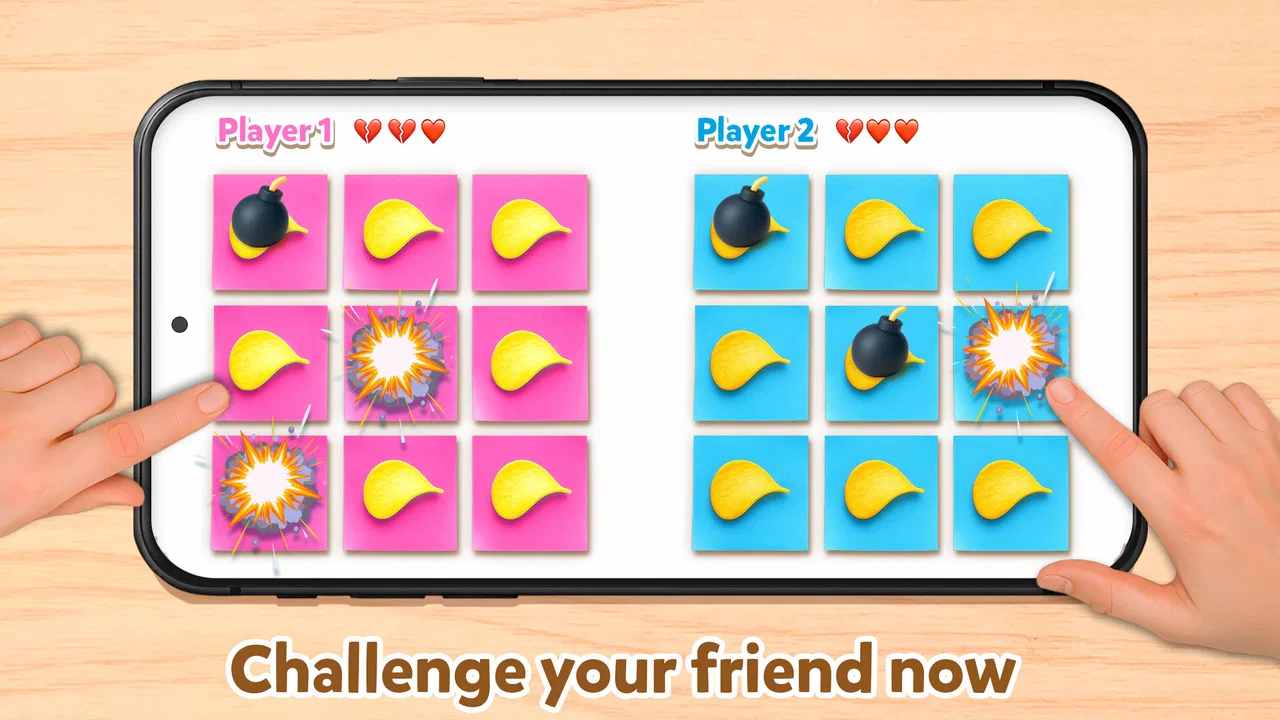
I tried Boom Chip Challenge: 2 Player as a quick entertainment app, and my first impression was that it is built around a very simple social idea: two people test their luck by choosing snacks while trying to avoid the bomb. The concept is immediately understandable, which matters for a game intended to be picked up during a short break, at a party, or while sitting with a friend. I did not need a long tutorial to understand what I was supposed to do.
The presentation leans into playful tension rather than serious competition. The snack-and-bomb theme gives each turn a small moment of suspense, while the funny filter angle makes the experience feel more like a shared joke than a traditional skill game. That distinction is important. I would not install this expecting a deep campaign, a complex progression system, or a long-term challenge. I see it as a compact two-player amusement app that works best when another person is nearby and ready to react.
How the two-player challenge feels in everyday use
The most natural way to use it is face to face. Imagine waiting for food with a friend, looking for something to do at home, or trying to break the awkward silence at a small gathering. One person can hand over the phone, make a choice, and watch the other person respond. The entertainment comes from the decision and the reaction around it, not from a large amount of content hidden behind the screen.
You May Also Like

 Blood Strike: 2.5 Anniversary
Blood Strike’s Loadouts Turn Every Drop Into a Tactical Gamble
A close look at Blood Strike’s custom loadouts: how fast access to signature weapons reshapes its battle royale rhythm, rewards preparation, and narrows the gap between fights.

 Pandora - Music & Podcasts
Pandora’s Music Is Easy to Start, but Harder to Recover
Pandora’s strength is its low-effort path from a seed to a station. Its weak spot is how much confidence it asks you to place in connection, setup, and quiet recovery.

 8 Ball Pool
 Is Built on Rivalries, Rematches, and Routine
A close look at the rivalries, rematches, shared routines, and unanswered safety questions that turn a quick pool match into a persistent mobile community.

 Samsung Music
’s Quiet Strength Is Playing What You Already Own
Its reach comes less from spectacle than from dependable access to a personal library. That simplicity is both the app’s strongest retention engine and its ceiling.

 AccuWeather: Weather Radar
AccuWeather Review: A Quick, Clear Forecast for Everyday Decisions
For everyday plans, the best forecast is the one you can understand quickly. AccuWeather makes rain timing, radar, and local conditions easy to act on, with a few trade-offs.

 Hill Climb Racing
Why Hill Climb Racing Still Turns Crashes Into One More Run
A tiny car, a bumpy hill and one more upgrade: Hill Climb Racing keeps resurfacing because its simple chaos makes every near-miss feel personal.
More From Our News Desk



That makes the app approachable for people who do not normally play mobile games. There is no need to learn a complicated control scheme before someone else can join. A younger player can understand the basic premise, and an adult can use it as a quick icebreaker without feeling that they are committing to a full game session. Its Everyone content rating also fits that broad, casual audience.
At the same time, the simplicity creates a clear limit. If you are alone, the appeal drops sharply because the central pleasure is sharing the choice and the result with another person. It is not the kind of entertainment I would open for a long solo session. For solo play, a puzzle game, an endless arcade title, or a comedy app with a steady stream of content would probably offer more lasting value.
The two-player focus also changes how I judge the app compared with usual entertainment alternatives. A short-video platform gives you an endless stream, but it is passive and often difficult to turn into a shared activity. A standard multiplayer game may provide more depth, but it usually asks both players to learn rules, wait for matchmaking, or use separate devices. This app sits between those options: it offers a small interactive ritual on one phone, but without the variety or depth of a larger game.
What the simple idea gets right
I like that the central choice is easy to explain aloud. A person can join after watching one turn, which makes the app useful when the group is changing or when someone is reluctant to play. The snack theme also gives the interaction a harmless, silly tone. The suspense is not presented as a serious test of ability, so losing can become part of the joke rather than a reason to stop.
One practical tip is to treat each round as a conversation starter rather than a complete gaming session. Ask the other player why they chose a particular snack, switch roles, and let spectators make predictions. That approach makes the limited format feel intentional. If you simply repeat the same action without talking or changing the social setup, the novelty can fade quickly.
Another useful approach is to use it as a warm-up before a larger group game. It requires less explanation than a board game and less preparation than a multiplayer console title. I found that its value is highest in the first few minutes, when everyone is still deciding what to do. It can get people laughing and participating before moving on to something more substantial.
Trust starts with what the app visibly asks from you
Because this is a lightweight entertainment app, I pay attention to the moments when it asks for attention, access, or a decision outside the actual challenge. My preference is always to read prompts carefully instead of tapping through them automatically. If a permission or system request appears, I would consider whether it is clearly connected to the filter or gameplay experience before allowing it.
I do not treat a playful appearance as proof that an app is harmless in every respect. The right habit is to check the permission screen on your own device, review any privacy wording shown through the platform, and notice whether the app gives a clear choice. Those checks are especially sensible when children may use the phone, when the device contains sensitive material, or when the player is uncomfortable with camera-related experiences.
The filter concept makes this point more relevant than it would be for a purely text-based game. A user should understand when the camera or visual effects are part of the experience and when the app is simply showing a game screen. I would only continue after confirming what the phone is asking me to authorize. That is not a criticism of Benno Games by itself; it is a practical way to keep control over any app that uses visual or interactive features.
I also recommend checking the app’s page through the relevant Android or iOS store before installing, especially if you are choosing it for a child. Look at the current permission disclosures, privacy information, and account-related prompts presented on your platform. Those details can change independently of how entertaining the game feels, so they deserve their own check rather than being assumed from the game’s cartoon tone.
Data-sensitive moments deserve a closer look
The most important privacy question for me is not whether the game looks funny, but what happens when the phone’s camera, photos, microphone, or sharing tools become involved. A filter-style experience can make people act quickly because they want to see the effect. I prefer to pause at that point and confirm whether I am only viewing an effect locally or whether I am being asked to capture, save, or share something.
That distinction matters in a group. A friend may be happy to appear in a playful screen but not want an image saved or posted elsewhere. Before using the app around other people, I would ask permission before recording or sharing anything that includes them. This is a small step, but it prevents the common mistake of treating a funny moment as automatically shareable.
I would also avoid entering personal information simply because a prompt appears during play. A quick two-player challenge should not require me to hand over details casually. If the app presents an account screen, sign-in choice, or request to connect another service, I would read the wording and decide whether that extra step is genuinely useful. For a short social game, keeping the experience as local and simple as possible is usually my preferred route.
Parents can apply the same approach with a child: install it together, examine the prompts, and explain that a filter does not automatically mean permission to use the camera or publish an image. The Everyone rating is helpful for understanding the intended age range, but it does not replace supervision around device permissions, sharing, or account choices.
Keeping control over the experience
User agency is one of the better ways to judge a small app like this. I want to be able to stop a round, close the app, deny an unnecessary request, and decide whether anything leaves the phone. I also want the game to remain understandable without pushing me toward actions I did not plan to take. When I use it, I keep the purpose narrow: open it for a shared challenge, play for a little while, and leave when the moment is over.
A useful routine is to check the operating system’s app settings after installation. That lets me review access choices directly instead of relying only on memory. If I later decide that a permission is not needed, I can revisit it there. This is more reliable than assuming that a colorful design or a short session makes privacy decisions unimportant.
I would also keep expectations realistic about updates. Benno Games is the developer, and the app is currently at version 0.0.3, so I would approach it as an experience that may still be developing. That does not automatically make it unreliable, but it does make me more cautious about treating the current behavior as permanent. After an update, I would quickly review new prompts, settings, and store disclosures before returning to regular use.
The app is free, which lowers the barrier to trying it, but free entertainment still deserves the same attention to choices and permissions as paid software. I do not equate a zero purchase price with zero trade-offs. If an app asks for access that does not feel connected to the way I want to play, I would decline it or uninstall rather than accepting simply because the game costs nothing.
Who will enjoy it, and who should skip it?
I would recommend it to friends who want a quick, silly activity on one phone. It suits casual gatherings, short waits, family play with supervision, and moments when people want interaction without learning a complicated game. Its broad age rating and straightforward premise make it easy to introduce, while the two-player format gives it a clear social purpose.
I would be less likely to recommend it to someone looking for a deep game. Players who want character development, strategic planning, online competition, a long campaign, or a large collection of modes may find the experience too narrow. It is also not my first choice for someone who mainly plays alone. In that situation, the usual alternatives in the entertainment category are more dependable because they provide content without requiring a second person to create the fun.
It may also be a poor fit for users who dislike camera-style filters or who prefer apps with very explicit privacy controls presented before any interactive feature begins. They may feel more comfortable with a conventional offline puzzle or a local board-game app. Choosing that alternative is not missing the point; it is recognizing that the social filter concept is the main attraction and also the area that deserves the most careful attention.
What the numbers suggest, without replacing personal judgment
The app has an average rating of 4.2 from around 3.4 thousand ratings, and it has passed 10 million installs. Those figures show that the concept has reached a substantial audience and that many people find the quick challenge enjoyable. I see that as useful context, but not as a substitute for checking whether the format matches your habits.
The listing also shows six written reviews, so I would not rely on the rating alone to answer detailed questions about privacy, controls, or long-term variety. Ratings are good at indicating broad satisfaction, while written experiences and your own permission review are more useful for judging practical concerns. I would install it because the premise interests me, not because a number guarantees that every device and every group will have the same experience.
Its minimum operating system is Android 7.0, which makes the compatibility requirement relatively accessible for older Android devices. Even so, I would still check how it behaves on the specific phone being used, particularly if the device is shared by several people or has strict privacy settings. Compatibility is only one part of a smooth experience; clear prompts and comfortable controls matter just as much.
My cautious verdict after using the challenge
I see Boom Chip Challenge: 2 Player as a focused social toy rather than a complete entertainment platform. Its strength is the immediate interaction: two people make choices, watch the result, and laugh at the tension. The snack theme and filter presentation give the basic action a memorable personality, and the free price makes experimenting with it easy.
My recommendation comes with boundaries. Use it when another person is present, keep the session short, and pay attention to any camera, sharing, account, or permission prompt instead of accepting automatically. If you are installing it for a child, review those choices together. If you want a deep solo game or a constant supply of content, choose something designed for that purpose instead.
For the right situation, I think it earns a place among quick group diversions. The app does not need to become more complicated to be useful; it needs to make its simple social moment easy to understand while letting the player remain in charge of what the phone can access and what leaves the device. That combination of low commitment, shared humor, and cautious use is where I found its best value.
FAQs for Boom Chip Challenge: 2 Player
01What is Boom Chip Challenge: 2 Player about?
Boom Chip Challenge: 2 Player is a fast-paced, strategy-based game designed for two players. It involves quick thinking and strategic moves to outsmart your opponent. The game features vibrant graphics and engaging gameplay that keeps players on their toes as they compete to win various challenges.
02Is Boom Chip Challenge: 2 Player available on both Android and iOS?
Yes, Boom Chip Challenge: 2 Player is available for download on both Android and iOS platforms. You can find it in the Google Play Store for Android devices and the Apple App Store for iOS devices, ensuring accessibility for a wide range of users.
03Does Boom Chip Challenge: 2 Player support offline gameplay?
Boom Chip Challenge: 2 Player primarily focuses on multiplayer interactions, which require an internet connection. However, it does offer a single-player mode where you can practice against AI opponents offline, making it versatile for various gaming environments.
04Are there in-app purchases in Boom Chip Challenge: 2 Player?
Yes, Boom Chip Challenge: 2 Player includes in-app purchases. These allow players to buy additional features, such as special chips and power-ups, to enhance the gaming experience. While purchases can enrich gameplay, they are not necessary to enjoy the core features of the game.
05What age group is Boom Chip Challenge: 2 Player suitable for?
Boom Chip Challenge: 2 Player is suitable for players aged 10 and up. The game is designed to be family-friendly, with simple controls and a learning curve that makes it accessible to younger users while still providing enough challenge to keep older players engaged.
Pros
- Engaging multiplayer mode for fun with friends.
- Simple controls make it easy to pick up and play.
- Bright
- colorful graphics enhance the experience.
- Frequent updates keep the game fresh and exciting.
- Low battery consumption for extended play sessions.
Cons
- Limited solo play options for single players.
- In-app purchases can be a bit pricey.
- Requires constant internet connection to play.
- Advertisements can be intrusive during gameplay.
- Some levels may feel repetitive over time.

Boom Chip Challenge: 2 Player
Gallery